
Why Is My TikTok Shop Account Health Rating Healthy, But My Listings Still Invisible?
- 2026-07-23
-
 0
0
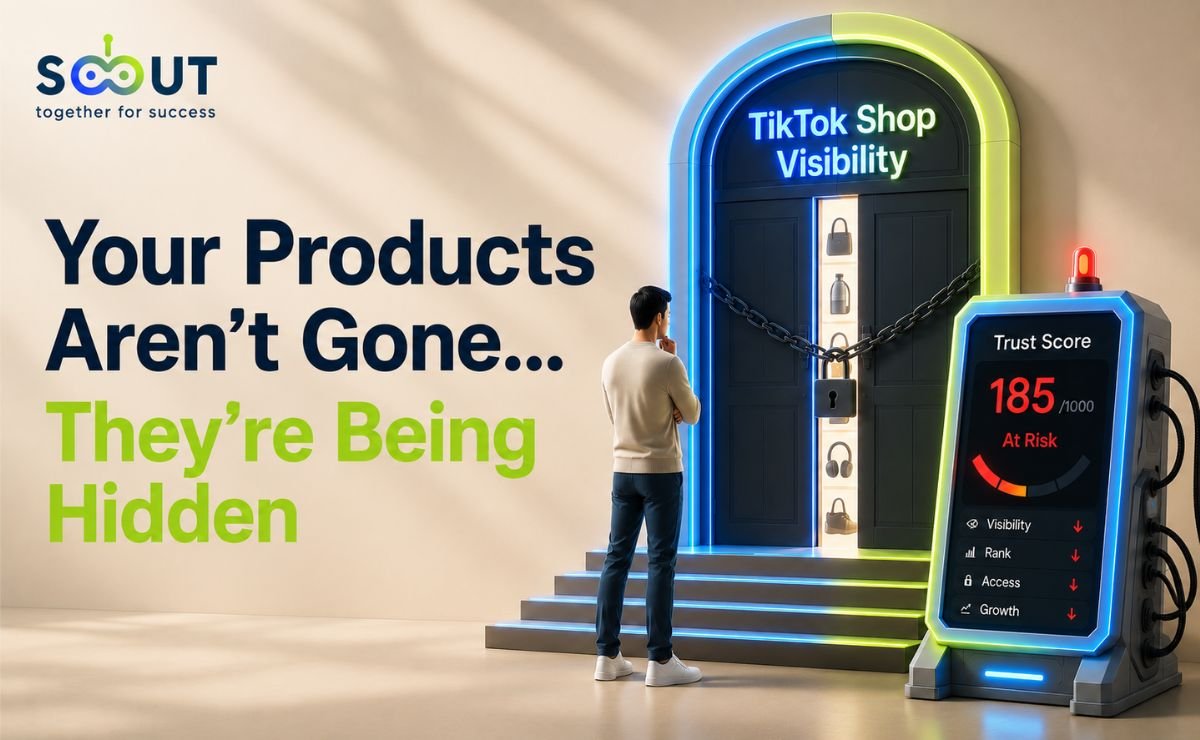
Your account shows no violations. Your videos are getting views. Your product photos are clean and your titles are optimized. Yet your listings barely show up in TikTok Shop search, and you can't figure out why. The answer isn't your content; it's a number most new sellers don't even know exists. TikTok Shop now scores every seller on a 0–1,000 scale called the TikTok Shop Account Health Rating (AHR), and it quietly controls how visible your products are, independent of how good your videos look.
This guide breaks down exactly what your Account Health Rating measures, how the separate TikTok Shop Performance Score compounds the suppression, and what to do in your first 1–3 months to stay in the visible zone. By the end, you'll know precisely which numbers to check today and which actions move them fastest. Let's start with what TikTok actually calls this system, because most sellers are searching for the wrong name.
What Is TikTok Shop's Account Health Rating, And Why Do Sellers Call It a "Trust Score"?
TikTok Shop doesn't officially use the term "Seller Trust Score" anywhere in its documentation; the platform's real name for it is the Account Health Rating, visible in Seller Center under Account Health, sometimes labeled "Store Rating." Sellers nicknamed it a trust score because that's functionally what it measures: how much the platform's algorithm trusts your shop enough to recommend it.
According to TikTok Shop's own Account Health Rating Requirements page, published directly through Seller Center, the TikTok Shop account health rating is a numerical score from 0 to 1,000 that reflects your shop's policy compliance and performance activity over a rolling window. Every new seller starts at 200 points. From there, the score moves up or down based on real shop behavior, not a one-time review. TikTok is also in the process of retiring the older Violation Points system entirely in favor of this rating, with sellers able to preview their AHR score in Seller Center ahead of full enforcement.
Here's the formula in plain terms:
AHR = 200 (base points) + Points Earned − Points Deducted, calculated over a rolling 180-day window.
This window detail matters more than it looks. Earlier 2026 guidance had the calculation running on a 90-day cycle. TikTok Shop's own Seller Enforcement Policy confirms every point earned or deducted resets after 180 days. If you've seen older guides quoting 90 days, they're outdated, and that's likely part of why your numbers don't match what you're seeing in Seller Center right now.
How Do I Check My TikTok Shop Account Health?
You don't need a third-party tool to see where you stand. Go to Seller Center → Account Health, and you'll find two separate dashboards worth checking, not one:
Your Account Health Rating sits under Account Health → Store Rating (some sellers will see it labeled AHR directly). This shows your current 0–1,000 score, your zone color, and a breakdown of which of the eight violation categories are pulling points down.
Your Shop Performance Score sits under Account Health → Shop Performance Score, or as a widget on the Seller Center homepage. On the Seller Center mobile app, it's under Home → Shop Performance Score.
Checking only one of these is the single most common reason sellers feel blindsided. A shop can have a clean Account Health Rating and still be losing visibility or payout speed because nobody looked at the second number.
What Are The Three Color Zones, And Which One Keeps You Visible?
TikTok groups every AHR score into one of three zones, not four, despite what some guides claim:
|
Zone |
Score Range |
What It Means |
|
Green |
200–1,000 |
Healthy account, full functionality, normal visibility |
|
Orange |
51–199 |
At risk of, or already under, milestone enforcement |
|
Red |
1–50 |
Critical, deactivation risk |
|
Deactivated |
0 |
Account permanently closed |
Staying above 200 isn't a suggestion, it's the only zone where TikTok doesn't actively restrict your shop's functionality. And because the cushion above 200 is thin for a new account, a single fulfillment slip in your first three months can tip your account health rating into orange territory fast.
What Exactly Does AHR Measure? (The Four Pillars Most Guides Miss)
Most explainers treat the account health rating as one vague number. It isn't. TikTok Shop's own AHR documentation breaks scoring into specific, trackable inputs that fall into four practical pillars:
-
Order fulfillment performance: completed orders vs. late, cancelled, or returned ones, plus your seller-fault cancellation rate.
-
Policy compliance: violations across TikTok's eight enforcement categories (covered below).
-
Customer communication: primarily your 12-Hour Response Rate.
-
Listing quality and accuracy: correct categorization, complete product information, and intellectual property compliance.
Each pillar earns or costs points independently, which is why two shops with identical AHR scores can have completely different risk profiles. A shop losing points on listing quality needs a different fix than one losing points on late dispatch; treating AHR as one undifferentiated number is exactly why generic advice fails new sellers.
How you earn points back, per TikTok Shop's own guidance:
-
Points for completed, eligible orders within the rolling 180-day window, up to a set maximum earned through this method
-
Points for a perfect score on the Policy Quiz tied to a specific violation (quizzes only unlock after you've been flagged)
Orders that are late, returned, refunded, cancelled, or linked to serious negative feedback don't count toward your earned points, so chasing raw order volume without fixing fulfillment quality won't move your score.
What Is the TikTok Shop Performance Score, And Why Does It Matter As Much As AHR?
This is the part almost no seller education content covers correctly. Alongside your account health rating, TikTok Shop runs a separate TikTok Shop performance score, scored 0–5. According to TikTok Shop's own Guide to Shop Performance Score, published directly through Seller Center, SPS is built from six sub-metrics grouped into three dimensions: product satisfaction, fulfillment and logistics, and customer service. It's a different lens than AHR. AHR is about policy compliance and account-level enforcement, while your shop performance score is about how well you're actually running the shop day to day.
One detail most guides miss entirely: TikTok Shop won't generate a performance score for you at all until your shop has at least 30 delivered orders in the past 90 days. So a brand-new seller checking their score in month one may just see nothing yet; that's expected, not a red flag.
Here's why this distinction matters for a 1–3 month seller: you can have a perfectly clean AHR and still lose out on faster payouts or promotional eligibility because your seller performance score hasn't caught up yet. Sellers checking only one dashboard are flying half-blind. If your listings are suppressed but your AHR looks fine, your shop performance score is the next place to look, not your content.
What Is the Seller Performance Score on TikTok Shop, Exactly?
To be precise about terminology: "seller performance score" and "Shop Performance Score" refer to the same metric, TikTok Shop just uses "Shop Performance Score" as the official name in Seller Center. It's a 0–5 rating, and TikTok Shop confirms real, tiered benefits tied to it directly on that same Seller Center guide: hit 2.5 and you're eligible for TikTok-funded promotions; hit 3.5 and your settlement period accelerates to as fast as 1 day after delivery instead of 8; hit 4.5 and you qualify for the Star Shop badge. It has nothing to do with your violation history directly, it's purely about operational execution: product satisfaction, fulfillment/logistics, and customer service.
How Do I Increase My TikTok Shop Performance Score?
Since the score is built from product satisfaction, fulfillment/logistics, and customer service, the fastest gains come from tightening whichever of the three is weakest rather than trying to move all of them at once:
-
Reduce negative reviews and after-sales requests by fixing the specific product issues driving 1–2 star ratings, not just responding to them after the fact
-
Bring your seller-fault return and refund rate down by auditing supplier reliability and packaging quality
-
Keep your on-time delivery rate high by setting realistic lead times in Seller Center instead of best-case shipping estimates
-
Respond to buyer messages quickly and proactively, since customer service is one of the three weighted dimensions
-
Use the SPS Appeal feature, confirmed directly in TikTok Shop's own SPS guide, when a drop is caused by something outside your control, like a logistics provider error or a buyer mistake, rather than absorbing the hit silently
Because SPS only generates once you have 30 delivered orders in the past 90 days, new sellers should treat their first month as a setup phase, get fulfillment and response times right before volume ramps up, rather than trying to fix a low score reactively after it's already visible to buyers.
Why Are My Listings Suppressed Even When My Content Performs Well?
This is the core mechanism behind "silent" suppression, and it works as a feedback loop:
A low account health rating or shop performance score reduces how often the algorithm surfaces your listings in search and recommendations. Reduced visibility means fewer people see your products, regardless of video quality. Fewer views lead to fewer orders. Fewer completed orders mean fewer points earned back. The score stagnates or drops further, deepening the suppression.
The trap is that none of this shows up as a violation notice. Your shop looks "fine" on the surface while the algorithm quietly deprioritizes you. This is why checking your raw view counts isn't enough, you need to check the scores behind them.
There's also a hard cliff worth knowing in advance. Per TikTok Shop's own Seller Enforcement Policy, dropping to the 150-point milestone blocks new mega campaign enrollment, new listing creation, and Affiliate Program enrollment, all for 7 days. For a seller relying on campaign traffic or affiliate partnerships, that threshold can eliminate a meaningful chunk of visibility overnight.
What Are TikTok Shop's Eight Violation Categories, And Which One Catches New Sellers Most?
Every AHR deduction traces back to one of eight categories:
|
# |
Category |
Common First-90-Days Triggers |
|
1 |
Product Compliance |
Listing restricted or prohibited items |
|
2 |
Product Safety |
Recall issues, missing safety documentation |
|
3 |
Listing Quality |
Miscategorization, incomplete product info |
|
4 |
Intellectual Property |
Trademark/copyright issues, missing brand authorization |
|
5 |
Fair Trading |
Fraudulent or suspicious transactions |
|
6 |
Fulfillment and After-Sale |
Late dispatch, high cancellation rate |
|
7 |
Account Management |
Onboarding gaps, account dormancy |
|
8 |
Customer Reviews |
Review manipulation, unresolved negative feedback |
In practice, new sellers in months 1–3 get caught most often by category 3 (Listing Quality) and category 6 (Fulfillment), simply because they're still building out catalog structure and shipping consistency. The products you choose to list in the first place have an outsized effect on how much of this pressure you take on, and this is where having visibility into what's already converting helps: TikTok Shop Scanner flags trending, fast-moving products before they saturate, so you're listing items with proven demand and realistic fulfillment timelines instead of guessing and absorbing avoidable cancellations later. If you sell without holding inventory, this matters even more: US sellers must fulfill through TikTok-approved logistics providers, and inconsistent shipping speed here directly feeds deductions under category 6.
What Happens At Each Milestone Threshold?
TikTok enforces escalating restrictions as your account health rating drops through specific point thresholds. Per TikTok Shop's own Seller Enforcement Policy:
|
Threshold |
Enforcement Actions |
|
150 points |
No new mega campaign enrollment for 7 days; no new listing creation for 7 days; no Affiliate Program enrollment for 7 days; no user growth activities or free shipping subsidies for 7 days |
|
100 points |
No new mega campaign enrollment for 14 days; no new listing creation or edits for 14 days |
|
50 points |
Enforcement escalates further and puts the shop at serious risk of suspension; TikTok doesn't publish every downstream detail at this stage, but sellers consistently report reduced campaign eligibility and livestream reach alongside the listing restrictions |
|
0 points |
Permanent deactivation, reactivation at TikTok's sole discretion |
One detail that trips up new sellers during appeals: you cannot appeal the milestone enforcement itself. You can only appeal the individual violation that caused the score drop. If the appeal succeeds, TikTok cancels the penalty and restores the points and permissions, but you have to attack the root cause, not the symptom.
How Does the 12-Hour Response Rate Affect My Score?
Your chat response speed feeds directly into your TikTok Shop account health rating. Per TikTok Shop's own Customer Service Communication Requirements:
-
12HRR between 51–74%: 2 Violation Points or a 10-point AHR deduction
-
12HRR at or below 50%: 4 Violation Points or a 20-point AHR deduction
This only applies to shops that received more than 2 customer chats in the previous 30 days, so a brand-new shop with minimal chat volume won't be penalized yet, but that grace period ends the moment your order volume picks up. If you genuinely can't monitor chats for a stretch, switching on Holiday Mode pauses this tracking entirely rather than letting your rate erode silently.
A Quick Case Study: How a Score Drop Compounds in Three Weeks
Consider a hypothetical month-two seller starting at 210 points (Green zone). A batch of late shipments during a supplier delay triggers a Fulfillment violation and pushes their seller-fault cancellation rate up, costing points over the following two weeks. Their score drops into Orange zone. Reduced visibility cuts their weekly orders roughly in half, which caps their order-based point recovery. Without intervention, two more minor violations would put them within range of the 150-point cliff, losing campaign and affiliate access on top of reduced search visibility. The fix isn't one action; it's stabilizing fulfillment first, since that's the pillar feeding both the violation and the lost recovery points simultaneously.
What's the Fastest Way to Recover a Falling TikTok Shop Account Health Rating?
Phase 1: Days 1–2: Diagnose
-
Check both your account health rating (Seller Center → Account Health) and your Shop Performance Score
-
Identify which of the eight violation categories triggered the drop
-
Fix the immediate cause: correct a miscategorized listing, resolve a fulfillment bottleneck, or address a flagged claim
Phase 2: Days 2–5: Appeal and Recover Points
-
Submit an appeal against the specific violation (not the milestone) through Seller Center, within the posted time limit
-
Complete the linked Policy Quiz for a points recovery
Phase 3: Days 5–14: Stabilize Operations
-
Audit supplier reliability and dispatch speed to bring your seller-fault cancellation rate down; our guide to the best TikTok Shop suppliers can help you vet options before problems compound
-
Get your 12HRR back above 85%, automate FAQ-style replies for repetitive questions to buy time for complex ones
-
Drive completed order volume strategically, knowing late/returned/cancelled orders don't count toward your recovery points
Phase 4: Ongoing: Stay Ahead of It
-
Recheck your account health rating and performance score weekly
-
Treat 200 as your floor, not your target, build a buffer, since both earned and deducted points reset after 180 days
Should US and UK Sellers Handle This Differently?
For UK sellers: AHR replaced the older Milestone System, with reference materials available through TikTok's UK Seller Academy. For US sellers: domestic fulfillment must run through TikTok-approved logistics services, which ties shipping consistency, and compliance with TikTok Shop's 48-hour shipping rule, even more tightly to your Fulfillment category score.
Both markets are converging toward AHR as the single global standard, so the fundamentals in this guide apply regardless of where you sell, only the enforcement dates and regional logistics rules differ.
Ready to Stop Guessing What's Suppressing Your Shop?
The sellers who recover fastest aren't the ones who panic at the first violation notice, they're the ones who check both their account health rating and their shop performance score weekly, treat 200 points as a floor, and build their catalog around products with realistic fulfillment demands from day one.
Your first step: if you're still setting up your foundation, our complete guide to starting on TikTok Shop walks through the setup decisions that prevent most of these violations before they happen.
Your second step: get full access to every TS Scout research tool for 14 days at $1, so you can start making catalog and fulfillment decisions backed by real data instead of guesswork.
Frequently Asked Questions
-
-
What is a good Account Health Rating score on TikTok Shop?
Anything at or above 200 points keeps you in the Green zone with full account functionality and no milestone restrictions.
-
How often does my AHR score update?
It recalculates based on activity within the rolling 180-day window.
-
Can I appeal a milestone enforcement on TikTok Shop?
No, you can only appeal the individual violation that caused your score to drop. A successful appeal restores the lost points and reverses the enforcement automatically.
-
What's the difference between AHR and Shop Performance Score?
AHR measures policy compliance and account-level enforcement risk; Shop Performance Score (0–5) measures operational execution across product satisfaction, fulfillment/logistics, and customer service. Both can independently affect your visibility and platform access.
-
What is the seller's performance score on TikTok Shop?
It's the same metric as the Shop Performance Score, TikTok Shop's official term for it. It's a 0–5 rating built from six sub-metrics across product satisfaction, fulfillment/logistics, and customer service, and it only generates once your shop has at least 30 delivered orders in the past 90 days.
-
How to check TikTok Shop account health?
Go to the Seller Center → Account Health. Your Account Health Rating appears under Store Rating; your Shop Performance Score appears as its own section or homepage widget. Check both, not just one.
-
How to increase TikTok Shop Performance Score?
Focus on whichever of the three weighted dimensions is weakest: reduce negative reviews by fixing root product issues, lower your seller-fault return rate through better supplier vetting, keep on-time delivery high with realistic lead times, and respond to buyer messages quickly. Use the SPS Appeal feature for drops caused by factors outside your control.
-
Does a low 12-Hour Response Rate always cost me points?
Only if your shop received more than 2 customer chats in the past 30 days. Below that threshold, enforcement doesn't apply yet.
-
How many points can I earn back per week from orders?
Points are earned from completed, eligible orders within the rolling 180-day window, though late, returned, cancelled, or heavily disputed orders don't count toward that total.
-
like?


Table of Contents
- What Is TikTok Shop's Account Health Rating, And Why Do Sellers Call It a "Trust Score"?
- How Do I Check My TikTok Shop Account Health?
- What Are The Three Color Zones, And Which One Keeps You Visible?
- What Exactly Does AHR Measure? (The Four Pillars Most Guides Miss)
- What Is the TikTok Shop Performance Score, And Why Does It Matter As Much As AHR?
- What Is the Seller Performance Score on TikTok Shop, Exactly?
- How Do I Increase My TikTok Shop Performance Score?
- Why Are My Listings Suppressed Even When My Content Performs Well?
- What Are TikTok Shop's Eight Violation Categories, And Which One Catches New Sellers Most?
- What Happens At Each Milestone Threshold?
- How Does the 12-Hour Response Rate Affect My Score?
- What's the Fastest Way to Recover a Falling TikTok Shop Account Health Rating?
- Should US and UK Sellers Handle This Differently?
- Ready to Stop Guessing What's Suppressing Your Shop?
- Frequently Asked Questions