
Common eBay Listing Errors: 32 Fixes for Sellers Without Inventory
- 2026-06-21
-
 0
0
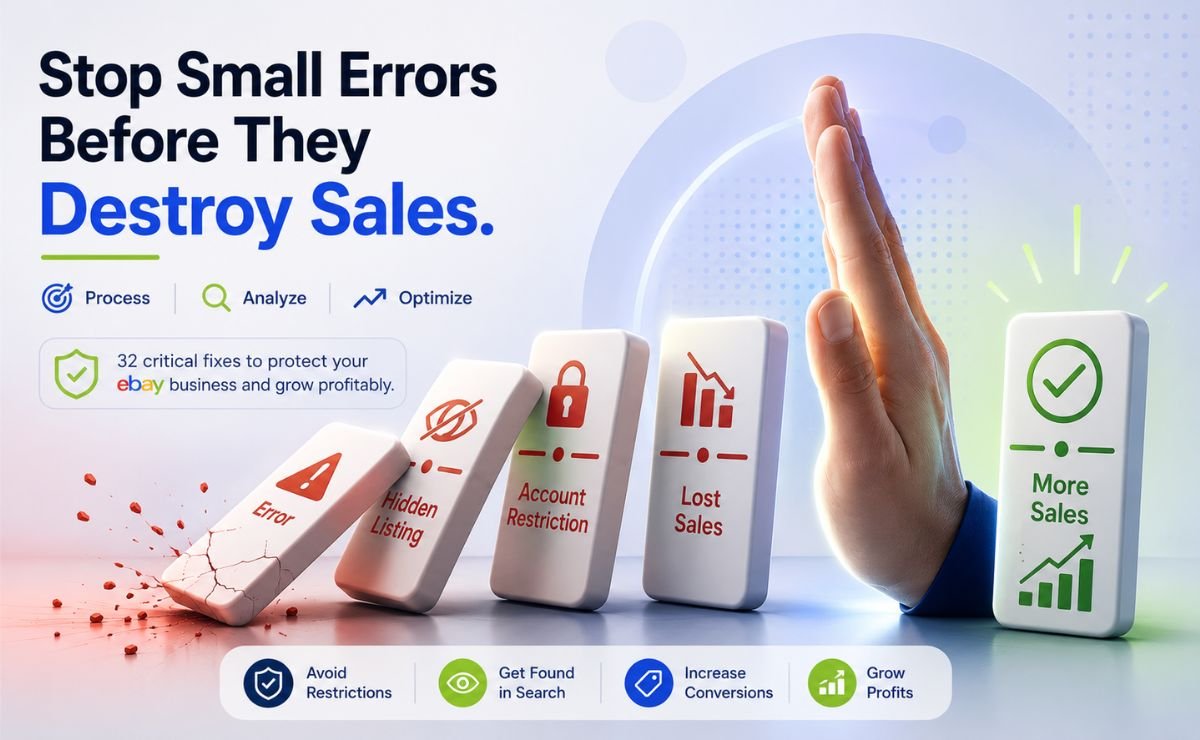
Picture this: You wake up, open your eBay Seller Hub, and see your sales have dropped to zero overnight. Your listings are hidden. Your account is restricted. All because of a small error you didn't even know existed.
If you sell on eBay without holding physical inventory, you're walking a tightrope. One misstep, and eBay's automated systems flag your account. But here's the good news: every one of these common eBay listing errors is predictable and fixable.
This guide maps out 32 critical errors with exact, step-by-step fixes all verified against eBay's current policies as of June 2026, when the platform's enforcement systems are sharper and less forgiving than ever. No fluff. No generic advice. You'll get real error codes, quick-reference tables, a case study, and checklists.
Ready? Let's fix those common eBay listing errors and get your sales bouncing back.
What Are the Most Common eBay Listing Errors? (And Why Do They Happen?)
Before diving into fixes, understand that eBay’s automation scans four things: account trust, data completeness, policy compliance, and shipping accuracy. Most common eBay listing errors fall into one of these buckets. Below we tackle each bucket in order from account setup to technical glitches.
What Are the Most Common eBay Account AND Limit Errors?
These errors block you before you even list. Fix them first.
1. Selling Limit Reached
Error: “You have reached your monthly selling limit.”
Why it happens: eBay limits newer accounts to reduce risk. If you haven’t fully verified your identity and payment method, you’ll hit this ceiling quickly.
Fix:
Go to Seller Hub > Overview > Monthly Limits and click Request higher limits. Be ready to explain your product sources and fulfillment process (keep it honest and simple). If an automatic request fails, contact eBay support via live chat.
For higher limits long-term, consider eBay store benefits , stores come with higher base limits.
2. How Do eBay Account Restrictions Work?
|
Code |
What it means |
What eBay usually wants |
|
MC011 |
Account under review due to selling activity concerns |
Proof of identity, supplier invoices, proof of delivery |
|
MC013 |
Linked to another suspended account |
Explanation of relationship, proof of separate identity |
|
MC999 |
Pending account closure |
Immediate contact to appeal (often final) |
Real example: A seller received MC011 three weeks after launching. He listed 300 items in one weekend with no history. eBay’s system saw high volume with no track record and locked the account.
How he fixed it:
He gathered supplier invoices (PDFs with product names, quantities, his business address), uploaded them to eBay’s document center, then called support. Within 5 days the restriction was lifted.
Key tip: Build history gradually start with 10–20 listings, fulfill perfectly, then scale. For a step-by-step walkthrough, see our guide on how to set up an eBay account.
3. Missing Automatic Payment Method for Fees
Error: “Before you can list, we need a little more information.”
Fix: Go to Account Settings > Payment Information for Seller Fees and add a valid backup payment method.
4. New Account Syndrome, Listings Not Appearing
Fix: Create your first 3–5 listings manually via the eBay website. After these get a few views or sales, your account earns trust. Then you can safely use third-party tools.
Why Does eBay Reject My Listing Form? (Content & Data Errors)
These errors stop your listing before it goes live.
Quick glance table:
|
Error |
Why It Happens |
Instant Fix |
|
Error 70 |
Title exceeds 80 characters |
Shorten title or use eBay Title Builder |
|
Error 240 |
Banned word in title/description |
Remove flagged words; rewrite plainly |
|
Empty Brand/MPN |
Required field left blank |
Copy exact details from top-selling competitors |
|
Duplicate listing |
Same product posted twice |
Use variations instead of separate listings |
|
Zero views (silent) |
Item specifics left empty |
Fill every recommended field |
1. Title Errors (70 & 240), One Tool That Fixes Both
Error 70 = title too long. Error 240 = blocked word. Both stop your listing instantly.
Fix: Use eBay Title Builder, it generates a title within eBay’s length limit, avoids every banned term, and uses real search terms shopper’s type. No counting. No guessing. (Use this tool once per product you won’t need to repeat.)
2. Brand and MPN Left Empty
Fix: Use eBay Product Research. Search for your product, view top-performing listings, and copy the Brand, MPN, and UPC values they used. Your listing then matches data already approved by eBay’s catalog, it goes live the first time.
3. Blocked Words to Avoid
Avoid email addresses, phone numbers, links to external sites, retailer comparisons (Amazon price), and guarantee promises not offered through eBay.
4. Duplicate Listing Error
Fix: Before listing, check your active inventory. Then use eBay Competitor Research tool to open a successful seller’s store and see how they structure one listing per product with variations inside. Copy that structure and you'll never trigger a duplicate error again.
5. The Invisible Listing (Empty Item Specifics)
No red error, but zero views. eBay’s filters rely on fields like Color, Size, Material.
Fix: Fill every recommended item specific using the values from top-selling listings (already gathered in Product Research step). Don’t stop at mandatory fields, recommended ones are just as important.
How Do Wrong Categories and Bad Images Block My eBay Listing?
Quick glance table:
|
Error |
What Happens |
How to Fix It |
|
Wrong category |
Listing blocked or invisible |
Use exact category path from top sellers or UPC lookup |
|
Photo violations (watermarks, text, logos) |
Listing removed or hidden |
Use clean, original images with no overlays |
|
Image too small |
Blurry, no zoom |
Upload at least 1600px on the longest side |
|
Main photo missing |
Placeholder shown, no clicks |
Upload first image manually and preview |
1. Wrong Category
Fix: Before listing, search eBay for your product. Open top listings and copy their exact category path. Or enter a UPC/EAN, eBay often suggests the correct category automatically.
2. Image Errors
eBay rejects photos with watermarks, logos, or text like “Free Shipping.” Supplier images often carry these.
Fix: Use clean product photos with plain white or light gray backgrounds. Remove all text, logos, watermarks. Upload at least 1600px on longest side.
Quick checklist: No text/logos, plain background, product fills ~80% of frame, at least 1600px.
Are Pricing Mistakes Costing You Money on eBay?
Pricing errors quietly eat profit. For sellers without inventory, supplier price changes make this riskier.
Quick glance table:
|
Error |
What Happens |
How to Fix It |
|
Ignoring fees & tax |
You miscalculate real profit |
Use correct net profit formula (see below) |
|
Supplier price changes |
You sell at a loss or cancel orders |
Check supplier price before listing and before accepting offers |
|
Best Offer auto-accept too low |
You approve a money-losing sale |
Set auto-decline at break-even point |
|
Quantity set too high |
Bulk orders, out-of-stock, forced cancellations |
Keep quantity low; enable Out-of-Stock option |
1. Forgetting Fees and Payment Processing
Correct net profit formula:
Net = (Item price + shipping) – (eBay final value fee + payment processing fee) – cost of goods
Note: Sales tax collected from the buyer is not deducted from your payout, eBay remits it directly. Do not subtract it.
2. The Supplier Price Trap
You list at $25 based on a $15 supplier cost. Days later, the supplier price jumps to $22 – your margin evaporates.
Fix: Before listing or accepting a Best Offer, verify the supplier’s current price. The Express Scanner, (AliExpress) shows trending products with consistent sales activity and uses it once to identify stable suppliers.
3. Best Offer Auto-Acceptance Errors
Fix: Set auto-decline at your break-even point, and auto-accept a few dollars above it. Never use auto-accept without auto-decline.
4. Inventory Quantity Mistakes
Setting the quantity to “999” looks good until multiple orders drain your supplier’s stock.
Fix: Display modest quantities (5–10) and replenish after checking supplier availability. Enable Out-of-Stock option in listing settings the listing stays live even at zero quantity, preserving sales history and search rank.
What Shipping Errors Cause eBay Listing Failures?
Shipping mistakes block listings or hurt performance.
Quick glance table:
|
Error |
What Happens |
How to Fix It |
|
Item location mismatch with account country |
Listing blocked or account flagged |
Use exact city and postal code your supplier ships from |
|
Missing postal code or location |
Listing won’t publish |
Enter real shipping origin in listing settings |
|
Incomplete shipping policy |
eBay asks for valid service |
Attach shipping policy with at least one domestic service |
|
No tracking number uploaded |
Buyer claims “item not received”, you lose |
Upload tracking within handling time |
|
Global shipping without accurate weight |
eBay overcharges you for adjustments |
Use supplier’s packed weight and dimensions |
1. Item Location and Postal Code
Fix: Always enter the actual city and postal code where your supplier ships from, as long as it’s in the same country as your eBay account. For overseas suppliers, use eBay’s Global Shipping Program or state a longer handling time honestly.
2. Incomplete Shipping Policy
Fix: Create a shipping policy, attach it, and select at least one domestic service (e.g., USPS Ground Advantage). Use the Global Shipping Program for international.
3. Missing Tracking Numbers
Fix: Set a handling time that gives your supplier room to provide tracking. Before committing to a supplier, check their reliability with AliExpress Source Finder, enter a store’s URL to see ratings, sales volume, and listing data. Use it once per supplier. Upload tracking the moment it arrives.
4. Global Shipping Weight
Fix: Use the packed weight and dimensions your supplier gives you – not just the product weight.
Why Do My eBay Product Variations Keep Breaking?
Variations let you sell one product with different colors or sizes. A small setup mistake blocks the entire listing.
|
Error |
Instant Fix |
|
Disabled attribute name (e.g., Size) |
Rename to an allowed alternative like Dimensions or Capacity |
|
Conflict between item specifics and variation specifics |
Use the detail in only one place, preferably variations |
|
Duplicate values (Blue, blue, BLUE) |
Use consistent spelling and capitalization |
|
Cannot edit variation with sales history |
End the listing and create a new one with correct structure |
|
Category doesn’t support variations |
Switch to a category that does, or use separate listings per variant |
Note: If a category has no variation option at all, use separate fixed-price listings with clear titles.
What Should I Do When eBay’s Own Systems Glitch? (System AND Integration Errors)
Sometimes the listing form is perfect, but eBay’s servers or third‑party tools throw an error.
|
Error |
What It Means |
Fix |
|
“Input data is invalid” (Error 37) |
Corrupted or incorrectly formatted product data |
Remove import file, re-enter data manually, or use clean CSV from eBay |
|
“Unable to process your request. Try again later.” (Error 10007) |
Temporary eBay server overload |
Wait 30–60 minutes, clear cache, or use eBay mobile app |
|
Token Revocation Error (21916013) |
Third-party tool lost connection after password change |
Re-authorize the tool by logging in again through eBay’s permissions page |
|
Listing stuck in “Draft” with no error message |
Draft contains unsupported character or blank required field |
Delete draft and start fresh |
|
Bulk upload fails with generic “Error” |
CSV has hidden special characters, wrong encoding, or extra spaces |
Download eBay’s current template, paste as plain text, upload again |
Error 10007 fix: Don’t keep clicking. Stop, wait, and retry outside peak hours.
Final Review: How to Spot AND Fix Costly Errors Before They Cost You
A short weekly routine stops hidden issues. Most common eBay listing errors can be caught before they hurt your sales, here’s how:
-
Hidden Listings folder in Seller Hub, any listing here has a fixable problem (wrong category, missing specifics, image violation). Fix or relist.
-
Unsold listings with zero views, update title or item specifics before renewing.
-
Performance metrics, watch defect rate and late shipment rate. If they rise, pause new listings and resolve active cases first.
-
Price format check, for sellers without inventory, fixed-price Buy It Now protects your margin. Auctions can leave money on the table.
Compare formats in our guide: eBay Buy It Now vs Auction: Which Listing Format Wins?
That’s it a 10‑minute scan once a week keeps your account clean.
For $1, unlock every research, listing, and supplier tool for 14 days. No limits. No missing features. Build a bulletproof operation from day one. Start your trial now →
Frequently Asked Questions on eBay Listing Errors
Q1: What are the most common eBay listing errors that new sellers face?
The most frequent common eBay listing errors include selling limits (MC011), title length errors (Error 70), blocked words (Error 240), empty Brand/MPN fields, duplicate listings, and missing item specifics. This guide covers all 32 with fixes.
Q2: Why does my listing say “It looks like there’s a problem with this listing” but doesn’t tell me exactly what’s wrong?
This vague error usually means a required field is blank, a blocked word is hiding in your description, or your item location doesn’t match your account country. Fastest fix: open the listing, clear the description, rewrite using only plain product facts, then double-check every mandatory field (Brand, MPN, UPC, item location). If you still can’t find the issue, create a brand‑new listing from scratch.
Q3: How do I know if an error is temporary vs permanent?
Temporary errors (like Error 10007) resolve within an hour. Permanent errors (MC011, MC099) require you to submit documents or call eBay. If the error persists after 24 hours, treat it as permanent and escalate.
Q4: What’s the difference between a listing error and an account health violation?
Listing errors block a single item from going live. Account violations (defect rate, late shipment rate) affect your entire seller status. Fix listing errors per item; fix violations by improving overall fulfillment and customer service.
Sources:
eBay’s official seller fee payment policy.
eBay’s prohibited and restricted items policy.
eBay’s image requirements.
eBay’s final value fee breakdown.
like?


Table of Contents
- What Are the Most Common eBay Listing Errors? (And Why Do They Happen?)
- What Are the Most Common eBay Account AND Limit Errors?
- Why Does eBay Reject My Listing Form? (Content & Data Errors)
- How Do Wrong Categories and Bad Images Block My eBay Listing?
- Are Pricing Mistakes Costing You Money on eBay?
- What Shipping Errors Cause eBay Listing Failures?
- Why Do My eBay Product Variations Keep Breaking?
- What Should I Do When eBay’s Own Systems Glitch? (System AND Integration Errors)
- Final Review: How to Spot AND Fix Costly Errors Before They Cost You
- Frequently Asked Questions on eBay Listing Errors