
How to Set Up Your eBay Seller Account the Right Way in 2026
- 2026-06-26
-
 0
0
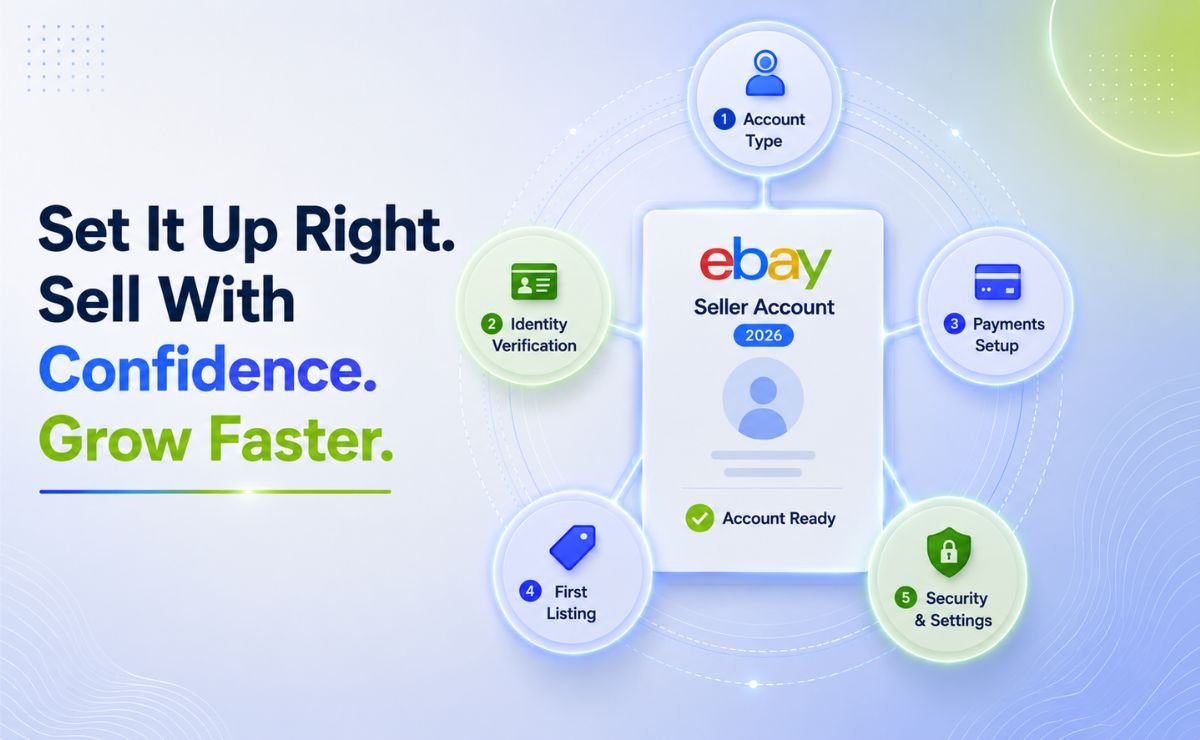
Setting up your eBay seller account correctly in 2026 is the decision that separates sellers who gain traction in their first month from those who spend weeks dealing with holds, restrictions, and invisible listings.
As reported in eBay's Q1 2026 Earnings Report, the platform hosts 136 million active buyers. This guide walks you through every step in the right order: account type, verification, managed payments, your first listing, and the settings that keep your account protected from day one.
Personal vs Business Seller Account, Which One Is Right for You?
This is your first decision when you click Register. Most new sellers get it wrong.
|
Feature |
Personal Account |
Business Account |
|
Best for |
Clearing out personal items |
Consistent selling and scaling |
|
Final value fee most categories |
13.25% + $0.30–$0.40 per order |
Reduced rates with a Store subscription |
|
Free listings per month |
250 |
250 + Store allowance |
|
Bulk listing tools |
Limited |
Full access |
|
eBay Store subscription access |
No |
Yes |
Fee source: eBay Seller Center, Selling Fees, verified June 2026. Rates vary by category, always check your specific category before pricing.
Choose a business account if you plan to sell consistently. It unlocks lower fees through Store subscription tiers, bulk listing tools, and a professional storefront that buyers trust. The full fee reduction breakdown per tier is covered in eBay Store Benefits.
On fulfilment: eBay permits supplier-direct fulfilment, print-on-demand, and digital products. Purchasing from any retailer Amazon, Walmart, or similar to fulfill eBay orders violates eBay's selling practices policy (eBay Selling Practices Policy) and results in account restrictions. eBay's automated detection for this was significantly upgraded in 2025.
What Do You Need Before You Create Your eBay Seller Account?
Gather these before you click Register. Missing any one of them causes delays mid-verification.
|
Document |
Requirement |
|
Government-issued photo ID |
Valid for 6+ months passport or driver's license |
|
Proof of address |
Utility bill or bank statement dated within 90 days |
|
Dedicated email address |
Separate from your personal inbox |
|
SMS-capable phone number |
For verification codes and account recovery |
|
Bank account details |
Name and address must match your ID exactly |
|
EIN or SSN |
Required for tax reporting and releasing payment holds |
On business licenses: eBay does not require a general business license to sell. US sole proprietors need no license at all. US LLCs and corporations may need an EIN verification letter or state registration. UK and EU sellers have no license requirement initially, though VAT registration applies once you exceed your country's threshold check your national tax authority for current figures.
On your username: you can only change it once every 30 days eBay Username Policy. Keep it short, brand-relevant, and free of unnecessary numbers or underscores. It appears next to every listing in search results it is a trust signal buyers read before they click.
How Do You Verify Your eBay Seller Account and Pass the First Time?
-
Document upload: PDF or JPG, under 5 MB, minimum 300 dpi. Blurry or cropped scans trigger manual review and multi-day delays. Scan cleanly and completely the first time.
-
Liveness check: face scan through the eBay mobile app. Takes under two minutes.
-
Video selfie (some accounts): 15-second clip holding your ID, stating your name and address in English.
-
Postal verification (rare): eBay mails a code to your address. Allow 3–7 business days.
Match every character across every document name, address, postcode. "St." versus "Street" is enough to freeze your application.
How Does eBay Managed Payments Work, and How Do You Shorten the 21-Day Hold?
eBay handles all transactions through Managed Payments. No PayPal. No third-party gateway required (eBay Managed Payments Overview).
The payment flow:
-
Buyer pays eBay at checkout
-
eBay deducts your fees automatically
-
Remainder transfers to your bank account within 1–3 business days
The 21-day hold is standard for every new seller eBay Payment Holds Policy. eBay holds funds until you demonstrate reliability. Shorten it by uploading tracking immediately after every dispatch, responding to messages within 24 hours, and keeping your record free of cancellations and disputes.
Setup steps:
-
Seller Hub → Payments → link your bank account
-
Verify the two micro-deposits eBay sends within a few days
-
Add a backup payment card for seller fee charges
Security: enable two-factor authentication before adding any payment information. Skip SMS-based 2FA, SIM-swapping attacks specifically target online sellers. Use Google Authenticator or Authy instead. (eBay Two-Step Verification)
How Do You Create Your First eBay Listing Correctly?
Once your eBay seller account is live and verified, validate demand and confirm your margin before you build any listing. Publishing without data wastes your free listing allowance.
Research first. Use TS Scout's free eBay Fee Calculator alongside the Product Research tool to enter your selling price, supplier cost, shipping, and category. The calculator returns your exact final value fee and net margin before you commit to a product. If the numbers do not work at this stage, they will not work once the listing is live.
Build the listing:
|
Element |
What to Do |
|
Title |
Use all 80 characters highest-volume keyword first, include size, color, and material where relevant |
|
Item specifics |
Fill every field blank specifics cause your listing to miss category filter searches 13.6% entirely |
|
Photos |
One unique image minimum lifestyle or infographic. Generic supplier photos reduce buyer trust and increase "not as described" cases |
|
Category |
Select carefully wrong category means your listing misses relevant search filters |
|
Variations |
Set up sizes or colors within one listing rather than creating duplicates |
Knowing the most common mistakes before you publish protects your early ranking and feedback score covered in full in Common eBay Listing Errors and How to Fix Them.
Which Account Settings Protect You from Day One?
|
Setting |
Recommended Option |
Why |
|
Payment |
Immediate payment required |
Eliminates unpaid item disputes |
|
Handling time |
5 business days |
Buffers supplier delays late shipments create account defects |
|
Returns |
30 days accepted |
Improves search ranking and buyer trust signals |
|
Shipping cost |
Free shipping baked into price |
No surprise charges at checkout higher conversion rate |
|
Two-factor authentication |
Authenticator app |
Protects linked bank details from targeted attacks |
Weekly health check, five minutes every Sunday in Seller Hub:
-
Any open buyer cases or unresolved disputes
-
Late shipments or missing tracking uploads
-
Recent feedback any pattern signaling a product or process issue
-
Handling time does it still match your supplier's current lead times?
What Are Your Tax Obligations as an eBay Seller in 2026?
US sellers: eBay issues a Form 1099-K when you exceed $20,000 in gross payments and 200 transactions in the same calendar year. The previously planned $600 threshold was repealed by the One Big Beautiful Bill Act, signed in 2025 IRS 1099-K Guidance. Not receiving a 1099-K does not make your income non-taxable and report all net profit on Schedule C. Some US states set lower thresholds independently and check your state authority separately.
UK and EU sellers: thresholds and VAT rules vary by country.
Start Selling Smarter, Not Slower
Most sellers at this point spend days manually researching niches and guessing at margins. The ones who move faster use data.
TS Scout's 14-day $1 trial gives you full access to every tool that makes this process faster and more reliable:
|
Tool |
What It Does |
|
eBay Niche Finder |
Shows which markets have real buyer demand right now |
|
eBay Product Research |
Validates sales volume, competition, and pricing before you commit |
|
Free eBay Fee Calculator |
Confirms your exact net margin before any listing goes live |
|
Free eBay Title Builder |
Generates keyword-optimised titles from real eBay search data |
Frequently Asked Questions
1. Do you need a business licence to sell on eBay?
No not as a US sole proprietor. LLCs and corporations may need an EIN letter or state registration. UK and EU sellers have no licence requirement initially. eBay Business Seller Registration
2. How long does it take to verify a new eBay seller account?
1–3 business days for standard document review. Clear, uncropped scans at 300 dpi avoid manual review delays.
3. Can you sell with zero feedback?
Yes. Warming up with a few buyer transactions first and building complete, professional listings both help close the trust gap with early buyers.
4. What do you do if your supplier runs out of stock after a sale?
You may need to cancel, which creates a defect on your seller metrics. Prevent it by tracking supplier stock levels regularly and listing quantities conservatively.
5. Will eBay report your sales to the tax authority?
For US sellers: above $20,000 gross payments and 200 transactions in the same year, yes. All net profit is taxable regardless of whether a 1099-K is issued. IRS Form 1099-K FAQ
6. Which listing format should you use, Buy It Now or Auction? It depends on your product type and how quickly you need to move stock. Full comparison in eBay Buy It Now vs Auction
7. When does an eBay Store subscription start saving you money?
When the fee reductions exceed the monthly cost.
Sources:
eBay Seller Identity Verification
like?


Table of Contents
- Personal vs Business Seller Account, Which One Is Right for You?
- What Do You Need Before You Create Your eBay Seller Account?
- How Do You Verify Your eBay Seller Account and Pass the First Time?
- How Does eBay Managed Payments Work, and How Do You Shorten the 21-Day Hold?
- How Do You Create Your First eBay Listing Correctly?
- Which Account Settings Protect You from Day One?
- What Are Your Tax Obligations as an eBay Seller in 2026?
- Start Selling Smarter, Not Slower
- Frequently Asked Questions