
How to Use Terapeak on eBay to Find Products Before Everyone Else Sees Them
- 2026-09-13
-
 0
0
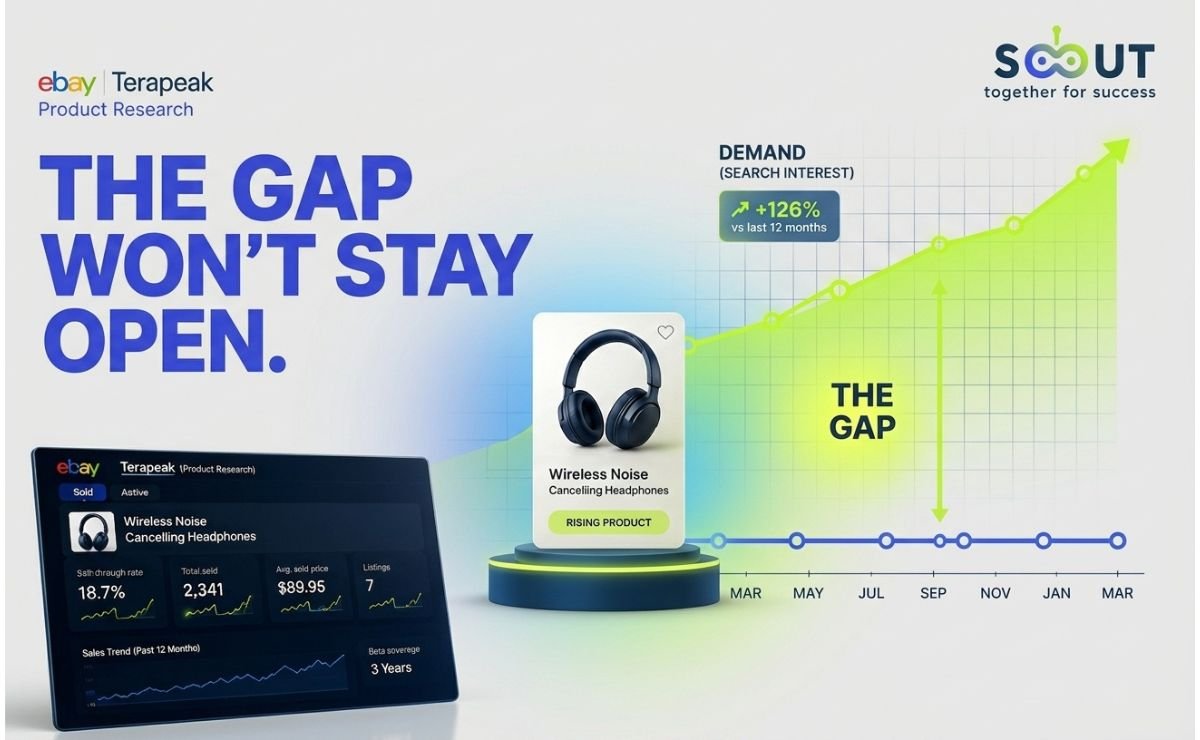
Every eBay dropshipper has felt the same gut punch: you spot a product that looks hot, list it, and by the time your first sale lands, twenty other sellers are already undercutting you on price. The problem usually isn't the product, it's when you found out about it. eBay's own research engine, Terapeak, holds up to three years of real sold-item data across the categories it tracks, and it's already sitting inside your Seller Hub account, free. Most sellers use terapeak product research like a rearview mirror, to confirm a product sold well last month. Very few use it the way it actually rewards you: to catch a product in the narrow window between "nobody's noticed yet" and "everybody's flooding the listing."
Consider this your terapeak 2026 guide for turning that lag into an advantage. You'll learn exactly where to find Terapeak inside eBay, how to read every metric it shows you, including the ebay terapeak sell through rate most sellers misread, and the specific pattern that flags a product while it's still climbing, not after it's peaked. We'll also show where Terapeak's built-in data lag works against you, and how closing that gap changes your sourcing timing completely. If you want the broader framework this fits into before diving into one tool, The Science of Product Research covers how professional sellers structure the whole process end to end. By the end of this guide, you'll have a repeatable weekly routine for finding products before your competition does.
What Is Terapeak on eBay, and How Does It Work in 2026?
Terapeak started as an independent analytics company before eBay acquired it in 2017 and folded its data engine directly into Seller Hub. In May 2024, eBay retired the Terapeak brand name on desktop and renamed the tool Product Research, though eBay confirmed the underlying tool and data stayed identical across desktop and mobile, which is why nearly every seller still searches "terapeak" out of habit.
How Does Terapeak Work?
It isn't a third-party plug-in estimating eBay's numbers from the outside. eBay's own help documentation confirms Product Research pulls directly from real transaction data across all of eBay's marketplaces, and any seller with Seller Hub access can use it at no cost. Business sellers with at least a Basic Store subscription also unlock Sourcing Insights, the category-level companion tool, worth comparing against the full breakdown of eBay Store Subscription Plans before you decide whether upgrading is worth it for your volume.
If you'd rather skip the Store-subscription requirement entirely and still get a category-level view,
TS Scout's eBay Segment Insight gives a similar bird's-eye read on which niches are heating up, without needing to upgrade your eBay account first.
Where Do You Find Terapeak Inside eBay Seller Hub?
If you're searching "how to use terapeak on eBay" because you literally can't locate it, here's the current path for the eBay Terapeak tool:
-
Log into your eBay seller account and open Seller Hub.
-
Click the Research tab in the top navigation bar.
-
Select Product Research, this is what most sellers still call Terapeak.
-
Type a keyword, UPC, ISBN, or part number instead of a broad category name; "portable dog water bottle" returns usable data, "pet accessories" doesn't.
On mobile, eBay confirmed the tool now lives under Selling → Seller Tools → Product Research in the app, and the 2026 update lets you scan a barcode on the spot, at a liquidation pallet, a thrift shelf, or a supplier showroom, and pull sold-price history without touching a laptop.
What Data Does Terapeak Product Research Actually Show You?
Once you run a search, ebay terapeak product research splits results into two views, Sold and Active and each pulls different signals:
|
Metric |
What It Tells You |
|
Average / median sold price |
The real price buyers paid, not what sellers are hoping for |
|
Sold price range |
How much room exists between a bargain listing and a premium one |
|
Number of sellers |
How crowded the space already is |
|
% sold with free shipping |
Whether free shipping is now the buyer's expectation in that niche |
|
Sell-through rate |
How likely a similar new listing is to actually convert |
|
Trend graph |
Whether demand is rising, flat, or fading over the selected window |
The trend graph is the most under-used piece here. Most sellers glance at average price and stop; the graph is what actually tells you whether you're early or late.
How Do You Read eBay Terapeak Sell-Through Rate?
The ebay terapeak sell through rate is the single most misunderstood number in the tool. eBay's Terapeak Help Center defines it as listings with sales divided by the sum of ended listings plus active listings with sales, in other words, it's biased toward known outcomes. A listing that's still active but hasn't sold yet isn't counted at all, because its fate isn't decided.
Two practical rules follow from that official formula:
-
Sell-through rate only calculates over the last 90 days. Pull a full year or three-year view and the metric disappears, eBay simply can't calculate it reliably outside that window.
-
It can't be filtered by buyer or seller location. Any location filter will also drop the sell-through number entirely.
Here's a rough interpretation range that experienced sellers commonly apply, though treat it as a starting benchmark rather than a hard rule, since it varies heavily by category:
|
Sell-Through Rate |
What It Usually Signals |
|
Under 10% |
Weak demand or oversaturated listings, pass or reprice hard |
|
15–20% |
Moderate, category-dependent, check trend direction before deciding |
|
20%+ |
Strong demand relative to competition, worth a closer look |
How Do You Use Terapeak to Catch a Product Before Competition Floods In?
This is where most Terapeak product research guides stop short, and it's the part that actually matters for a dropshipper carrying zero stock: Terapeak only shows demand that has already happened on eBay. By definition, sell-through rate needs completed sales to calculate, so a product can already be gaining serious traction on other channels for days or weeks before it produces enough closed eBay sales for Terapeak's 90-day window to register it.
The reading pattern that catches this early, inside Terapeak itself, looks like this:
-
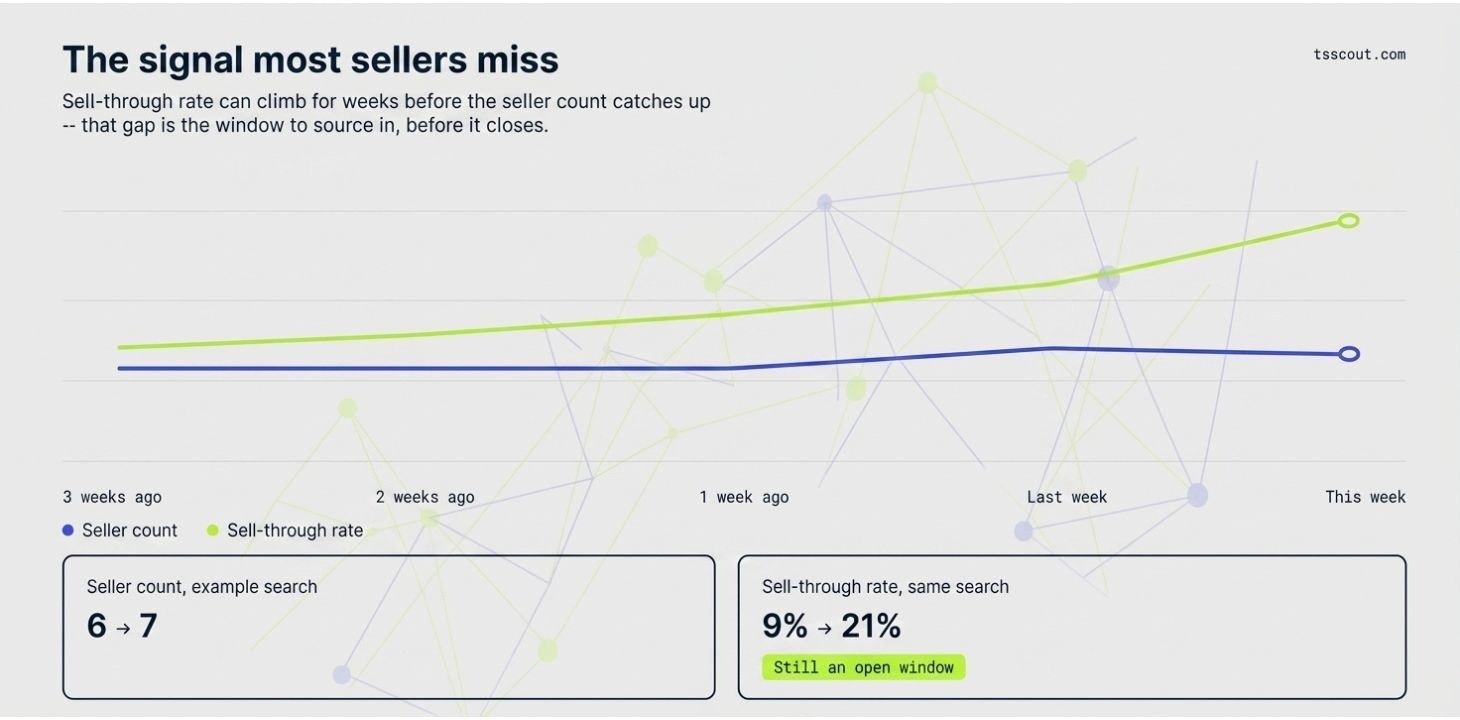
The trend line is climbing, but the seller count is still low. Rising demand with few competitors is the exact window you want, it closes fast once other sellers spot the same graph.
-
Sell-through rate is climbing week over week, even if total sold units are still modest. A jump across two 90-day pulls matters more than the raw number at either point.
-
Sold listings are outpacing active listings. If items are selling faster than new ones are being listed, supply hasn't caught up to demand yet.
Example (for illustration only): Say a search for a folding phone stand showed 6 sellers and a 9% sell-through rate three weeks ago, unremarkable. Run the same search this week and the seller count has barely moved to 7, but the sell-through rate has jumped to 21% and the trend line is climbing sharply. Competition hasn't caught up yet even though conversions have more than doubled, that gap between flat seller count and rising sell-through is exactly the window worth acting on, before more sellers spot the same graph.
The gap you can't close with Terapeak alone is the pre-eBay signal. This is exactly the blind spot
TS Scout's eBay Product Research Tool was built to cover: instead of waiting on completed transactions, it scans live listings, seller counts, and demand trends across eBay and Amazon, Walmart, TikTok Shop, and AliExpress in one dashboard, so you can spot a product moving elsewhere before it has enough closed eBay sales to trip Terapeak's radar.
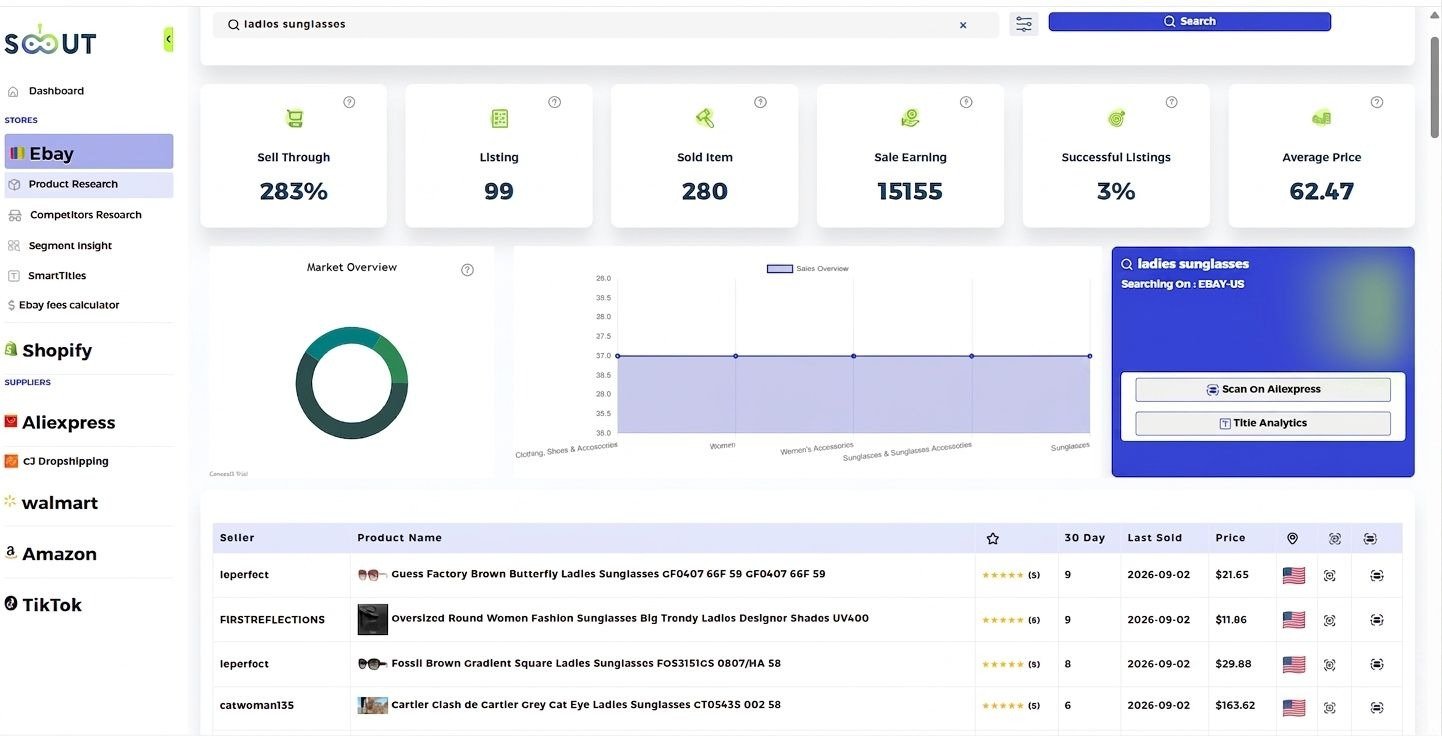
For a faster starting shortlist to find trending products ebay Terapeak can then validate, TopBay Picks surfaces a running feed of eBay's current best-performing listings, good raw candidates to run back through Terapeak before you commit to sourcing. For dropshippers chasing high-demand products without the headache of holding stock, that pairing, scan first, validate second, is the fastest route to sourcing on the way up instead of confirming what everyone else already knows.
Not every find needs this level of urgency, either. Some of the steadiest sellers stock a rising trend or two alongside a base of Evergreen Product picks that don't demand this kind of week-to-week chasing.
A 6-Step Terapeak Search Routine You Can Repeat Every Week
Running Terapeak once and calling it done wastes most of its value. Here's a routine that actually compounds:
-
Search specific, not broad, exact product name or identifier, never a category.
-
Check Sold first, Active second, sold data tells you what buyers actually paid; active only tells you what sellers are hoping for.
-
Set the window to 90 days, this is the only range where sell-through rate calculates.
-
Sort sold listings by highest price, read the top three titles for keywords you're missing.
-
Compare seller count against sold units, low sellers, high sold volume is the sweet spot.
-
Re-run the same saved search weekly, a rising trend line across four consecutive weeks is a far stronger signal than any single snapshot.
Pair this weekly trend-watch with a stable base of Evergreen Product Categories so your store isn't riding on trend finds alone, and if margin matters more to you than volume, Evergreen High-Ticket Product Ideas is worth a look too.
Terapeak vs TS Scout: Which One Actually Finds Products Faster?
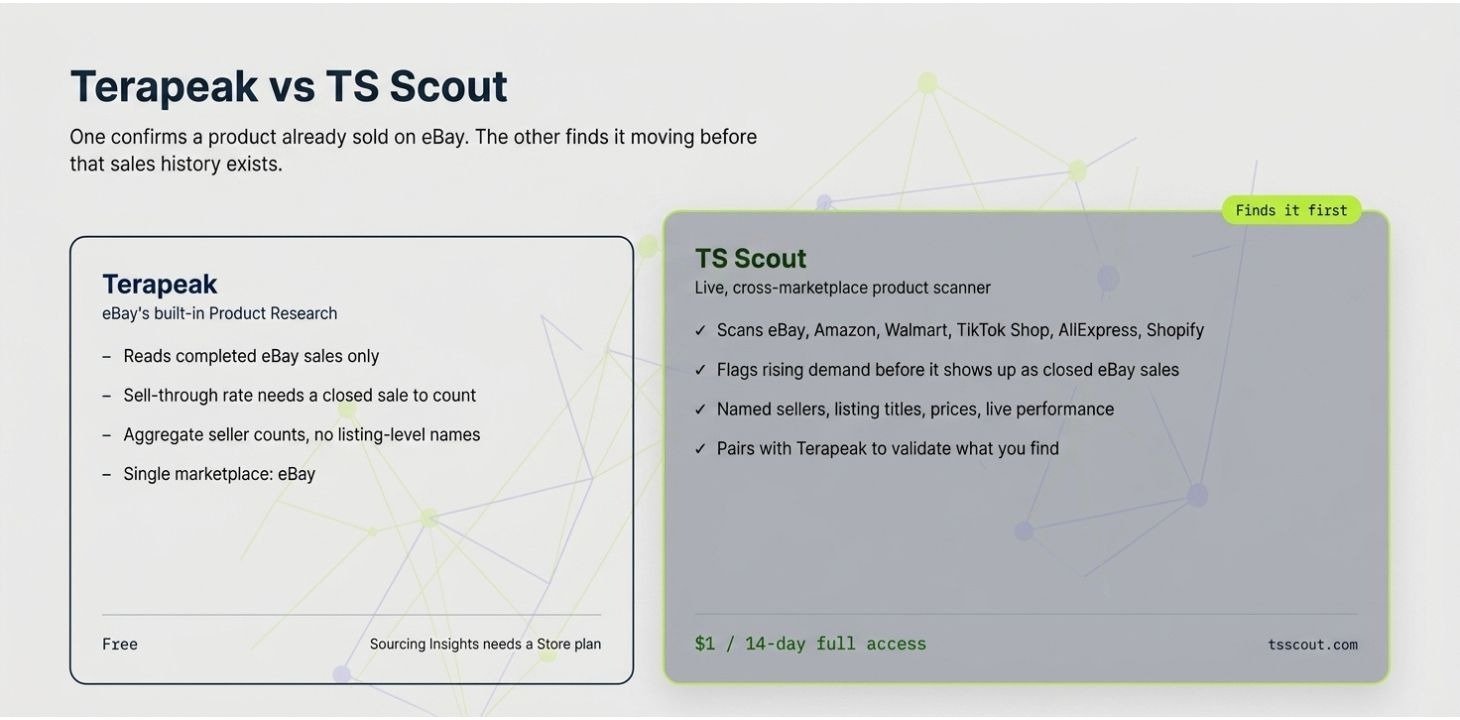
A fair terapeak vs TS Scout comparison isn't really "either/or", they answer different questions. Terapeak proves a product already sells on eBay; TS Scout is built to spot it moving before that happens, across more than one marketplace.
|
Terapeak (eBay Product Research) |
TS Scout |
|
|
Data source |
Completed eBay sales only |
eBay, Amazon, Walmart, TikTok Shop, AliExpress, Shopify |
|
Best for |
Validating demand and pricing on eBay |
Spotting rising demand before it's confirmed by closed sales |
|
Competitor visibility |
Aggregate seller counts |
Named sellers, listing titles, prices, and performance |
|
Cross-platform sourcing |
Not available |
One-click check across suppliers and marketplaces |
|
Cost |
Free (Sourcing Insights needs a Store plan) |
Starts at a $1 trial |
The honest takeaway: Terapeak's data is trustworthy precisely because it's eBay's own record of what already sold, that's not something to replace. But if your business model depends on catching products before that record exists, pairing it with a live, multi-marketplace scanner like TS Scout is what actually buys you the head start, even though it's a paid layer on top of a free tool.
What Mistakes Make Sellers Waste Terapeak's Data?
-
Pricing off Active listings instead of Sold. Active listings only show what sellers are asking, Terapeak's Sold tab shows what buyers actually paid, and that gap is often significant.
-
Searching category names instead of specific products. "Phone accessories" returns noise; the exact product name or UPC returns a usable sample.
-
Ignoring the trend graph in favor of the average price. A flat average with a declining trend line means you're buying into a fading product, not a stable one.
-
Treating a single 90-day pull as final. One snapshot can't show direction, you need at least two or three pulls over consecutive weeks to see whether demand is rising or falling.
-
Chasing every trend with nothing stable underneath it. A store built entirely on rising finds is fragile the moment one fades. If you're learning digital, Evergreen Digital Product Ideas is a solid place to build that base, and whatever you pick, always Test an Evergreen Product with a small batch before scaling.
-
Skipping the sourcing step after validating demand. Finding a winning product is only half the job; matching it to a dependable supplier, see Top eBay Suppliers, decides whether that demand turns into margin.
Ready to Stop Confirming Products After Everyone Else Already Has?
Terapeak will always tell you the truth about what is already sold, that's exactly why it's worth learning properly. But truth that arrives after the fact isn't an edge, it's a rearview mirror. If you want to see demand moving before it shows up in eBay's sold data.
start your TS Scout $1, 14-day full-access trial and pair its live, cross-marketplace scanning with Terapeak's confirmed sales data, so you're sourcing next week's winner, not last month's leftovers.
FAQs
-
How does Terapeak work?
It pulls directly from eBay's own database of completed transactions and shows real sold prices, quantities, and sell-through rate for a searched product or category, rather than estimating from the outside.
-
Is Terapeak free on eBay in 2026?
Yes, core Product Research (Terapeak) is free to any seller with Seller Hub access. Only the category-level Sourcing Insights tool requires a Basic Store subscription or higher.
-
What is a good eBay Terapeak sell-through rate?
There's no universal number, since it varies heavily by category, but many sellers treat anything above 20% as strong demand and under 10% as a signal to pass or reprice. Direction over time matters more than the raw figure.
-
Can Terapeak find trending products ebay Terapeak-style before they go viral?
Not on its own, sell-through rate only calculates from listings that have already sold, so a product needs closed eBay sales before Terapeak can register it. Cross-marketplace tools like TS Scout are built to catch the earlier signal.
-
Terapeak vs TS Scout, do I need both?
They cover different jobs. Terapeak validates that a product already sells on eBay; TS Scout scans live demand across eBay, Amazon, Walmart, TikTok Shop, and AliExpress to catch products before that eBay sales history exists.
-
Does Terapeak work for Amazon or TikTok Shop dropshipping?
No, Terapeak only covers eBay's own marketplace data. For research across other channels, a multi-marketplace tool is needed.
like?


Table of Contents
- What Is Terapeak on eBay, and How Does It Work in 2026?
- Where Do You Find Terapeak Inside eBay Seller Hub?
- What Data Does Terapeak Product Research Actually Show You?
- How Do You Read eBay Terapeak Sell-Through Rate?
- How Do You Use Terapeak to Catch a Product Before Competition Floods In?
- A 6-Step Terapeak Search Routine You Can Repeat Every Week
- Terapeak vs TS Scout: Which One Actually Finds Products Faster?
- What Mistakes Make Sellers Waste Terapeak's Data?
- Ready to Stop Confirming Products After Everyone Else Already Has?
- FAQs