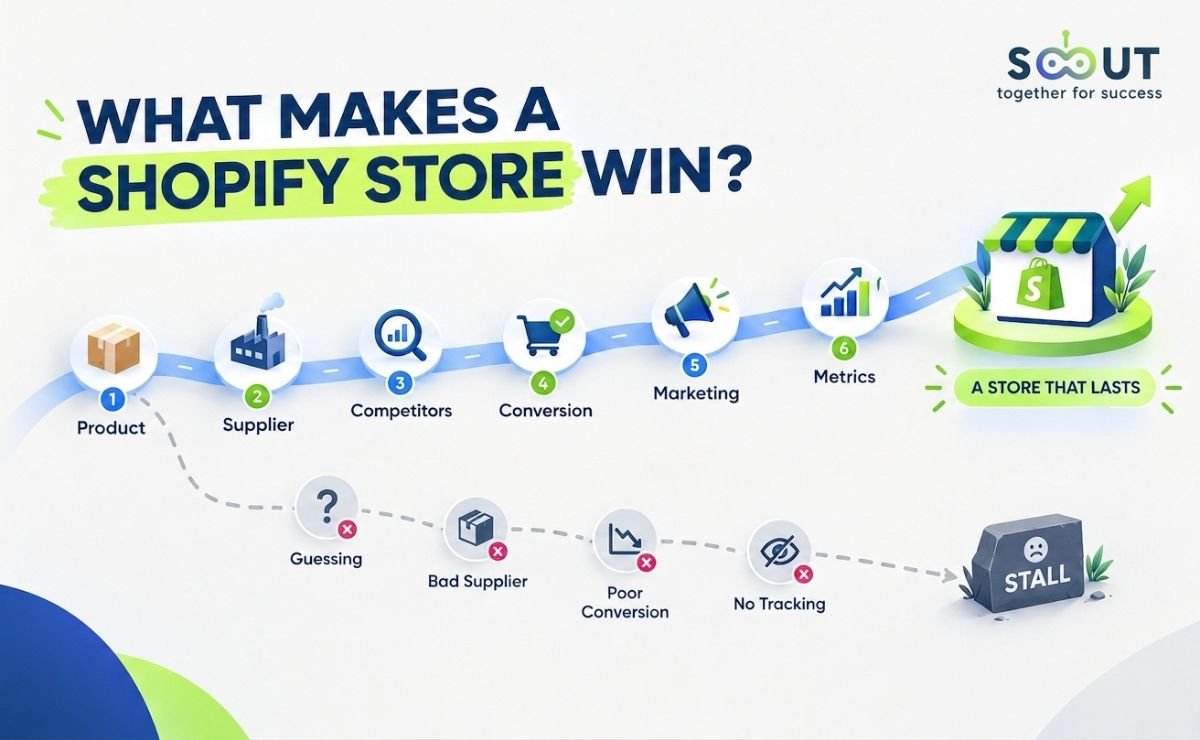

Write Shopify Product Descriptions That Rank and Convert, Without Spending on Ads
- 2026-07-16
-
 0
0
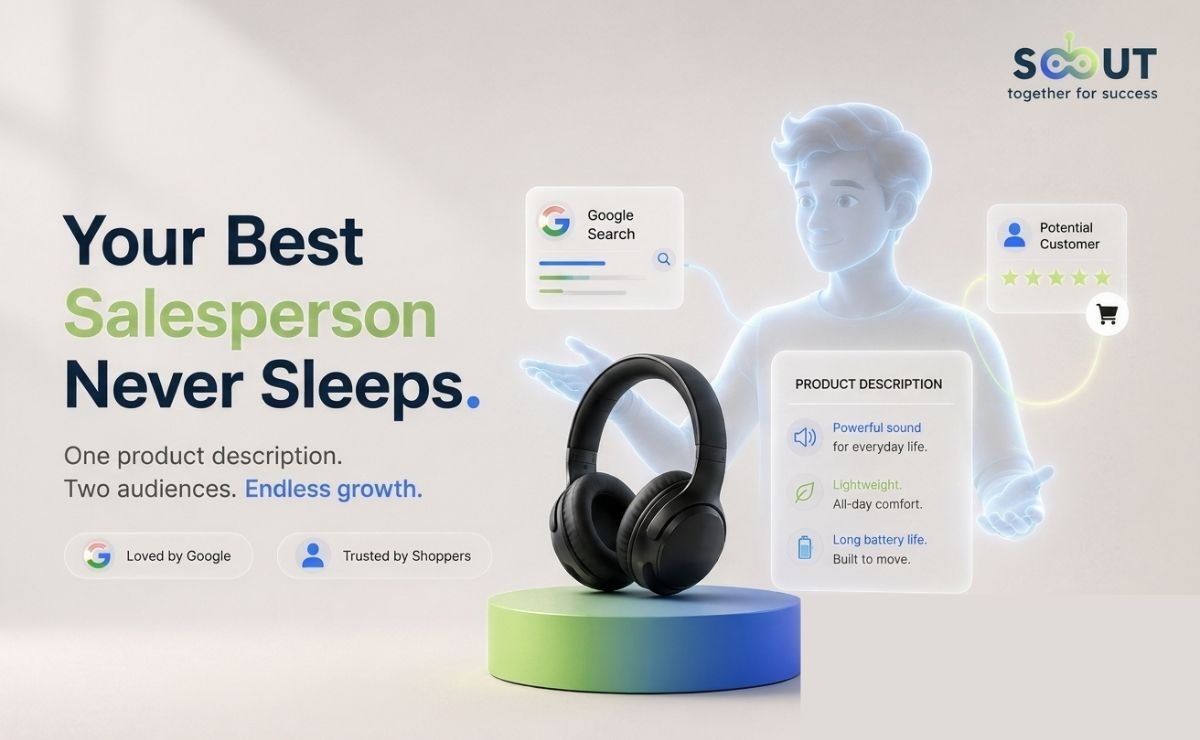
Your Shopify product description is doing two jobs at once: convincing Google your page deserves to rank, and convincing a real buyer your product deserves their money. Most sellers fail at both, not because they write poorly, but because they treat the description as an afterthought.
Stores that ditch manufacturer copy for SEO-optimised product descriptions tend to see better organic traffic and stronger conversion rates than stores that don't, and yet the most common approach is still to paste whatever the supplier provided and call it done. This guide covers every layer of a product description that actually works: how to add it in Shopify, how to write it from scratch when you have limited product access, how to optimize it for search without torturing the reader, and how to scale it across a large catalogue without breaking your store. By the end, you will know exactly what separates a product page that sits on page 3 from one that earns a featured snippet and a sale. Let's get into it.
What Is a Shopify Product Description, and What Is It Actually Doing?
What does a Shopify product description include?
A Shopify product description is the copy that lives on your product page, below the product title and images. It tells the buyer what the product is, what it does for them, and why it is worth buying. It also feeds Google's understanding of what your page is about, so it serves two masters simultaneously: search engines and human beings.
What it is not: a list of specifications copied from a supplier. That approach produces content that appears on hundreds of other stores simultaneously, signals nothing unique to Google, and answers none of the questions a real buyer actually has before clicking Add to Cart.
The three things your description needs to do:
|
Job |
What it means in practice |
|
Inform |
Give the buyer every relevant detail before they have to ask |
|
Persuade |
Frame features as benefits that matter to their life |
|
Rank |
Signal keyword relevance to Google without stuffing |
What is the difference between the product description and the meta description in Shopify?
This is the most common point of confusion, and it costs sellers real traffic.
These are two entirely separate fields in your Shopify admin, serving entirely different functions:
Product description, the body copy on your storefront page. Visible to shoppers. Indexed by Google. Contributes to keyword relevance for your product page.
Meta description, lives in the Search Engine Listing Preview section at the bottom of your Shopify product editor. Does not appear on your product page. Controls the snippet text shown under your title in Google search results. Shopify's own guidance on meta descriptions confirms they are not a direct ranking factor, but they directly influence click-through rate, which feeds ranking signals over time. That distinction matters: write your meta description for the searcher, not the algorithm.
Quick callout: Optimise both fields. They are not interchangeable. Neglecting the SEO listing preview means Google writes your snippet for you, and it will not prioritise your strongest selling point.
Where does your Shopify product description appear beyond your store?
-
Google organic search results (indexed body content)
-
Google Shopping listings (product feed data pulls from description fields)
-
Social sharing previews when no dedicated og:description tag is set
-
Email marketing product blocks when pulled dynamically from your catalogue
Google's rich results requirements make product schema non-negotiable, valid structured data covering price, availability, and review fields is what unlocks enhanced listings in search results. Without it, you are leaving that visibility on the table regardless of how well your description is written.
How Do You Add a Product Description in Shopify?
What is the step-by-step process for adding a product description in Shopify?
-
Log in to your Shopify admin at yourstore.myshopify.com
-
In the left menu, click Products, then select an existing product or click Add product
-
Locate the Description field directly below the product title
-
Write or paste your copy, use the rich text editor toolbar to apply headings, bullets, and bold formatting
-
Scroll to the Search Engine Listing Preview section at the bottom of the page
-
Enter your SEO title (target: under 60 characters) and meta description (target: under 160 characters), these are separate from the description field above
-
Edit the URL handle to include your primary keyword, no spaces or special characters
-
Click Save, changes go live on your storefront immediately
Important: Steps 6 and 7 are where most sellers stop engaging. They are also where most of the organic traffic opportunity lives.
How do you add a short description above the Add to Cart button in Shopify?
Shopify's default layout places the main description below the product images and buy button on most themes. If you want a 50–100 word benefit summary positioned above the CTA, which performs better for high-consideration products, you have two routes:
-
Theme code editing: Add a metafield to pull short description content into a different position in the product template
-
Page builder app: Drag-and-drop placement without touching code
Use this for products where the key benefit needs to be scannable before the buyer reaches the buy button, not after.
Can you add a second product description in Shopify?
Yes. Shopify's metafields documentation confirms Shopify provides one description field by default, with additional sections available via metafields or third-party apps.
To add via Shopify Metafields:
From your Shopify admin → Settings → Metafields and metaobjects → Under Metafields definition, select Products → Add definition → Name the field → Choose content type → Save → Add to your theme template via the theme editor.
When to use a second description block:
-
Sizing and fit guides that need visual separation from the main copy
-
Care and materials information for apparel or home goods
-
Warranty or technical specification tables for higher-priced items
How Do You Write a Shopify Product Description Without Handling the Product?
Why does physical access to the product matter, and how do you replace it?
When you are selling products you source remotely, you lose the ability to demonstrate through first-hand experience. You cannot describe how the fabric feels, how heavy the product is in hand, or how the mechanism operates. That gap is real, and buyers feel it when they read generic descriptions lifted from a supplier listing.
The replacement is structured research. Specifically, three sources:
1. Supplier listings, extract, do not copy
Your supplier listing contains raw material: specifications, dimensions, certifications, and technical data. None of it is copy-ready. Your job is to translate it.
|
Supplier language |
Customer-facing rewrite |
|
Material: 600D polyester |
Built from 600D polyester, the same grade used in outdoor gear that gets rained on and still lasts |
|
Battery: 5000mAh |
A 5,000mAh battery that charges your phone from zero to full twice before it needs a wall outlet |
|
Weight: 320g |
Light enough to forget it is in your bag |
2. Review data, read what real buyers say
Shopify's enterprise SEO guidance confirms that buyers respond to benefits because benefits answer the question a feature never does: why should I care? The fastest way to understand what benefits matter is to read what buyers say after purchasing, specifically 5-star and 1-star reviews on equivalent products across major retail platforms.
-
5-star reviews reveal the outcomes buyers actually valued and how they described them
-
1-star reviews surface the objections you need to preemptively answer in your copy
This is not plagiarism. It is research. The language belongs to your buyers. Put it to use.
3. Niche communities, steal the vocabulary
Reddit threads, niche Facebook groups, and YouTube comment sections for your product category reveal the exact phrasing your target buyer uses. This matters for both conversion, recognition builds trust, and SEO, since Google's language understanding rewards semantic relevance over exact-match repetition.
Illustrative example: Picture a home fitness seller whose original listing leaned entirely on manufacturer language: "adjustable resistance bands, 5-piece set." After mining Reddit's r/homegym community for how buyers actually talk about the product, they rewrote it around real buyer language, something like "bands that survive a year of daily pull-aparts without snapping", with size and resistance data worked in naturally rather than listed as specs. The pattern this reflects: descriptions that speak to a buyer's actual pain point (durability, in this case) tend to hold attention longer and nudge more browsers toward adding to cart than descriptions that just restate manufacturer copy.
Knowing which products to prioritise before you invest time writing descriptions matters as much as the copy itself. TS Scout's Shopify Find Stores lets you select a product category or niche and surface the Shopify stores actively selling in that market, so you can validate real demand, study competitor positioning, and identify which angles are already working before you write a single word.
What Does a High-Converting Shopify Product Description Actually Look Like?
What is the CLEAR framework for Shopify product descriptions?
The CLEAR framework is a writing structure built specifically for sellers who market products they source remotely. It addresses the five elements that determine whether a description ranks, converts, and builds trust, in that order.
C — Credibility L — Language E — Emotion A — Advantage R — Risk Removal
C — Credibility: Build trust before the buyer asks for it
When a buyer cannot inspect a product before purchasing, trust is the deciding factor. Credibility in your description does not come from adjectives like "premium" or "high-quality", it comes from specifics.
What works:
-
Named materials with context ("medical-grade silicone")
-
Certification references where verifiable ("CE certified," "OEKO-TEX Standard 100")
-
Review volume signals integrated naturally ("with over 3,000 verified orders processed")
-
Concrete guarantee language as part of the copy flow, not buried at the bottom
What fails:
-
"Premium quality guaranteed" with no evidence behind it
-
Claiming certifications you cannot verify, this is both an E-E-A-T risk and a legal liability
L, Language: Write in your buyer's words, not your supplier's
Language operates at two levels: vocabulary and register.
Vocabulary, match the words your buyer uses. If your target customer searches for "non-slip yoga mat for hardwood floors," your description should use that phrase, not "anti-skid exercise mat suitable for laminate surfaces."
Sensory substitution, compensate for lack of physical touch with precise, concrete imagery:
|
Vague sensory claim |
Precise sensory substitute |
|
Soft material |
The kind of soft you notice the first time you put it on, and stop noticing after that, because it just disappears |
|
Lightweight |
At 280g, lighter than a paperback novel |
|
Durable |
Built to outlast the drawer it lives in |
UK vs. US language note: If you target both markets, vocabulary differences go beyond spelling. "Jumper" vs. "sweater," "trousers" vs. "pants," "postage" vs. "shipping", each affects both keyword matching and conversion. Either geo-target your descriptions or use the most search-neutral phrasing with a regional variant note for key terms.
E, Emotion: Sell the outcome, not the object
Every product is a vehicle. Buyers are not purchasing the object they are purchasing who they become, or what changes, after they own it.
Formula: Feature + "which means" + Identity/Outcome = Emotionally resonant benefit statement
Poor: Adjustable lumbar support with three firmness settings" Strong: "Three firmness settings, so you find the one that stops you shifting around by 11am
This is not hyperbole. It is precision. You are describing a real outcome in the buyer's own terms.
A, Advantage: Make your listing the obvious choice
When your product is the same SKU as 200 competing listings, your differentiator is the experience around the product, your curation rationale, your fulfilment reliability, your customer service approach, and your return policy confidence.
For sellers with longer fulfilment windows, framing is everything:
Avoid: Ships from overseas, 2–4 weeks delivery. Use: Sourced and dispatched from our fulfilment partner, allow 8–14 business days for delivery. Worth the wait, or your money back.
The second version states the same fact. It also communicates confidence and removes the sting.
R, Risk Removal: Close objections before they form
SearchX's 2026 product description SEO research found that bulleted lists receive 70% more visual attention from shoppers than paragraphs, because 80% of shoppers scan product pages rather than read them in full. The objections that kill conversions need to be answered in the copy itself, not in a footer link.
One-line trust closer formula: Guarantee + Condition + Action = Risk-removed buyer
Example: If it is not right within 30 days, we will sort it, no forms, no fuss.
Position this near the CTA, not at the bottom of a long description block.
How Do You Optimise a Shopify Product Description for SEO?
Where should your primary keyword appear in a Shopify product description?
Shopify's SEO product description guide is direct on this: use your focus keyword no more than a few times across the description. Strategic placement beats repetition every time, and repetition triggers penalties.
Keyword placement checklist:
-
First 100 words of the description body ✓
-
Product title (rendered as the H1 on the product page) ✓
-
SEO title field in the Search Engine Listing Preview ✓
-
Meta description field (influences CTR, not rankings directly) ✓
-
Image alt text for every product image ✓
-
URL handle ✓
One instance of unnatural keyword repetition cancels out all of the above. Write for the reader first; keyword placement follows naturally.
Knowing which keywords and product categories are actually generating sales on Shopify before you optimize your descriptions is the difference between targeting demand and guessing at it. TS Scout's Shopify Insight analyses real product performance across Shopify, units sold, average prices, category trends, and seller data, so your keyword and copy decisions are built on what the market is doing right now, not assumptions.
How long should a Shopify product description be for SEO?
Direct answer: 300–400 words for most products. Up to 1,000 words for high-consideration products priced above £150 / $200.
Affilino's Q1 2025 analysis of 80,000+ Shopify title tags makes the underlying principle clear: content depth is what Google rewards, not word count. Match length to product complexity and purchase consideration level. A 200-word description that answers every buyer question outranks a 700-word padded version every time.
What does an SEO-optimised Shopify product description structure look like?
DigitalApplied's 2026 Shopify SEO optimisation guide recommends the following structure as the baseline for product pages that rank and convert:
Opening benefit statement (1–2 sentences)
↓
Key features as benefits (3–5 bullet points)
↓
Expanded detail paragraph (materials, use cases, dimensions)
↓
Trust closer (guarantee, social proof signal)
↓
Call to action or transition
How do title tags and H1 alignment affect Shopify product page rankings?
Google rewrites the majority of title tags before they ever reach a searcher. John McAlpin's Q1 2025 study, which analysed thousands of keywords across commercial, informational, and YMYL categories, found that Google changed 76.04% of title tags up from the 61.6% found in Zyppy's earlier study of over 80,000 titles. When Google does rewrite, it isn't subtle: McAlpin's data shows it removes an average of 2.71 words and keeps only about 35% of the original wording. As of this writing that's the most recent figure available, and title-rewrite behaviour shifts as Google updates its systems, so it's worth rechecking periodically rather than treating 76% as fixed.
The single most effective fix: align your H1 and SEO title. Zyppy's research found that when the two match in meaning, rewrite rates drop to roughly 20%.
On Shopify, your product title is the H1. Your SEO title is the separate field in Search Engine Listing Preview. Keep them aligned, not necessarily word-for-word identical, but close enough that Google doesn't see a contradiction between them.
Zyppy's data also points to a length sweet spot: titles between 51–60 characters had the lowest rewrite rate, at 39–42%. That's roughly where readability and keyword density naturally balance.
What is schema markup and does it matter for Shopify product descriptions?
Structured data implementation data compiled by Ryze shows rich snippets increase click-through rates by 87% compared to standard listings, a difference that compounds with every impression your product page earns.
Shopify themes generate some schema automatically, but it is often incomplete. Audit your product schema using Google's Rich Results Test and validate that price, availability, and review fields are correctly populated. FAQ schema on product pages, 3–5 questions with sub-50-word answers, additionally qualifies your page for featured snippet positions and voice search results.
What Is a Shopify Product Description Generator, and When Should You Use One?
How does Shopify Magic generate product descriptions?
Shopify's official Shopify Magic documentation describes it plainly: the tool uses AI to take details you provide, product title and keywords, and generates a description suggestion. It is built directly into the Shopify admin and included at no extra cost on all Shopify plans.
How to use it:
-
In the product editor, locate the Description field
-
Click the Generate text icon (three stars)
-
Input your product title, key features, and target keywords
-
Select a tone of voice, Expert, Playful, Sophisticated, and others
-
Click Generate and review multiple versions
-
Click Keep to drop the selected text into your description field
PageFly's 2026 Shopify Magic guide reports the tool saves the average merchant 15–20 hours per week, time that goes back into marketing, sourcing, and customer experience rather than writing first drafts from scratch.
Its real limitation: Shopify Magic generates plausible, grammatically sound copy based on general language patterns. It does not know your specific product's competitive context, your target buyer's vocabulary, or the objections that kill conversion in your niche. Treat its output as a first draft, a starting point that needs the CLEAR framework applied on top of it, not a finished description ready to publish.
Shopify's official Shopify Magic documentation is clear on accountability: you are responsible for the accuracy of everything you publish, including AI-generated copy. Generated text can include stated benefits and facts drawn from similar products across the web, read everything before it goes live.
Knowing which products your competitors are building pages around before you generate your own descriptions gives you a structural advantage. TS Scout's Shopify Competitor Research built for ethical Shopify competitor research, lets you analyse any Shopify store by URL, surfacing product data, pricing strategies, and sales performance so your descriptions target the right products with the right angles from day one.
Are there other Shopify product description generator options?
Beyond Shopify Magic, third-party AI writing tools can generate descriptions at scale with more customisation for brand voice, tone consistency across catalogues, and multi-language output. The key principle applies regardless of tool: AI-generated descriptions are raw material. They require human editing for accuracy, brand alignment, and the trust signals that convert, particularly the credibility and risk removal elements of the CLEAR framework that no AI tool can verify on your behalf.
How Do You Bulk Edit Product Descriptions in Shopify?
What is the fastest way to bulk edit product descriptions in Shopify?
For stores with large catalogues, editing descriptions one by one is not a workflow, it is a bottleneck. Shopify provides two native methods, with a third-party app route for high-SKU operations.
Method 1: Shopify's built-in bulk editor
Shopify's bulk editing documentation confirms the native route: from your Products page, use the checkboxes to select the items you want to update, click Bulk edit, and double-click any description field to open the inline text editor. Changes save immediately with no staging or preview.
Limitations sourced from Shogun's Shopify bulk editing guide and Barn2's December 2025 analysis:
|
Limitation |
Detail |
|
100-product ceiling per session |
Larger catalogues require multiple editing sessions |
|
No undo capability |
Changes are permanent once saved, no rollback |
|
No find-and-replace |
Catalogue-wide text changes require manual edits per product |
|
No variant descriptions |
Each variant must be edited individually |
Method 2: CSV export and import
Export your product catalogue as a CSV → edit description columns in a spreadsheet → re-import with Overwrite products with matching handles, selected. Handles large volumes but introduces formatting risk. Keep a clean backup before importing, and use Google Chrome for the upload step to avoid browser-related formatting errors.
Method 3: Third-party bulk editing apps
For catalogues above 100 products, or any time you need find-and-replace functionality across descriptions, third-party apps handle this without the native editor's ceiling. Look for apps that offer change preview before saving, rollback and undo capability, scheduled edits, and CSV preview before committing changes.
Can you bulk edit meta descriptions in Shopify at the same time?
Barn2's bulk editing guide flags a time-saving move most sellers miss: add the SEO description column from the Columns menu inside the bulk editor and handle meta descriptions in the same session as your product description updates. One pass, both fields done, which matters when you are working through a catalogue of any meaningful size.
What Are the Most Common Shopify Product Description Mistakes, and How Do You Fix Them?
Which product description mistakes cost the most in rankings and conversions?
1. Copying supplier descriptions verbatim Ryze's Shopify product description SEO analysis puts a number on the scale of the problem: 67% of online stores copy manufacturer descriptions verbatim, producing content that appears identically across hundreds of competing pages. Google resolves this by ranking the original source first, which is never your store. Fix: Write original copy for every product. Use supplier data as raw input, not finished copy.
2. Writing features without benefits The same Ryze analysis found feature-focused descriptions convert 43% worse than benefit-led alternatives, a gap that widens the more competitive the product category. Fix: Apply the "which means" bridge for every feature before publishing.
3. Treating the description field and meta description as the same thing Two separate fields. Two separate functions. Filling one and ignoring the other leaves click-through rate entirely to Google's discretion. Fix: Optimise both fields in every product edit session.
4. Leaving the URL handle as Shopify's auto-generated default Auto-generated handles often contain irrelevant strings or repeat the full product title with no keyword intent. Fix: Edit the URL handle to match your primary keyword phrase, without stop words.
5. Using the same description across product variants Creates internal duplicate content that splits ranking signals and confuses crawlers. Fix: Differentiate descriptions by variant where attributes meaningfully differ, colour, material, and size all justify unique copy angles.
6. Losing mobile visitors in the opening sentences SearchX's 2026 ecommerce SEO research confirms that over 60% of ecommerce traffic arrives on mobile, where buyers see only the first two to three sentences before they scroll. If those sentences do not immediately deliver benefit and trust, the page has already lost the majority of its visitors. Fix: Lead with the strongest benefit. Position the risk-removal statement near the CTA, not at the bottom.
Shopify Product Description Examples, What Does Good Look Like?
What does a strong Shopify product description look like by category?
Example 1: Home / Lifestyle Product
Category: Weighted blanket
Poor version: "Weighted blanket, 6kg, grey, 150x200cm, glass bead filling, removable cover."
Optimised version: "Six kilos of even, distributed pressure that settles over you like a calm you forgot you were capable of. The 150x200cm cover is removable and machine washable because a blanket you cannot clean is not a blanket you will keep. Glass bead filling, evenly distributed, no bunching. If you sleep better with weight, this is the one to try. 30-day return window, no conditions."
What changed: Features translated to outcomes. Sensory language replaces abstract specs. Objections around washing, bunching, and returns are addressed without a separate section. Risk removal lands near the end, exactly where the buying decision forms.
Example 2: Tech / Accessories
Category: Portable phone charger
Poor version: "10,000mAh power bank, dual USB output, LED indicator, fast charge compatible."
Optimised version: "10,000mAh, enough to charge a modern smartphone from zero to full twice before this needs a wall again. Dual USB outputs mean you and whoever is next to you can both stop watching the battery percentage. Fast charge compatible. The LED bar shows exactly how much is left so there are no surprises mid-trip. At 185g, it fits in a jacket pocket without pulling the pocket out of shape."
What changed: Each spec is translated into a concrete, human situation. "185g" becomes a usability statement. "Dual USB" becomes a social scenario the buyer already recognises from their own experience.
Ready to Stop Leaving Rankings and Revenue on the Table?
Every product page you publish is either working for you or sitting idle. The difference between the two comes down to decisions most sellers make in under five minutes: what to write in the description field, whether to fill in the SEO listing preview, how to frame a benefit instead of listing a feature, and whether the copy answers the questions a buyer actually has before they click away.
None of it is complicated. All of it is specific. A description that is original, benefit-led, technically sound, and honest about what the buyer can expect, that is what earns a ranking and closes a sale. Generic copy earns neither.
The mechanics are in this guide. The next move is yours. If you are serious about finding the right products to back your best copy, and understanding exactly how the Shopify market is moving before you invest time writing, your $1 trial gets you 14 days of full access to do exactly that. No guesswork. No wasted copy on products the market has already moved past.
FAQ
1. Does the product description affect SEO on Shopify?
Yes, directly. The description body is crawled and indexed by Google and contributes to the page's keyword relevance signals. The separate meta description field does not affect rankings directly but influences click-through rate, which affects rankings over time. Optimise both.
2. What is the difference between the product description and the meta description in Shopify?
The product description appears on your storefront and is indexed by Google. The meta description lives in the Search Engine Listing Preview section of your Shopify admin, it controls the snippet shown in Google search results and does not appear on your product page. They are separate fields requiring separate attention.
3. How do I write a product description when I have limited access to the product?
Research replaces physical access. Extract specifications from your supplier listing. Use review data on equivalent products to understand what buyers value and what objections they have. Match the language buyers use, in reviews, on Reddit, in niche communities. Translate every feature into a benefit using the "which means" bridge before publishing.
4. How long should a Shopify product description be?
300–400 words for most products. Up to 1,000 words for high-consideration purchases above £150 / $200. The rule is not word count, it is whether you have answered every question a buyer would ask before purchasing. Stop when the answer is yes.
5. Can I use Shopify's product description generator for all my products?
Shopify Magic is a useful first-draft tool included free on all Shopify plans. It generates plausible copy based on the product title and keywords you provide. It does not know your buyer's vocabulary, your niche's conversion objections, or your competitive positioning. Use it to accelerate writing, then apply the CLEAR framework before publishing.
6. Can I bulk edit product descriptions in Shopify?
Yes. Shopify's native bulk editor handles small batches, select products, click Bulk edit, double-click descriptions to edit. For catalogues over 100 products, the native tool hits its ceiling. CSV export and import handles larger volumes with some formatting risk. Third-party apps in the Shopify App Store offer find-and-replace, undo capability, and scheduled edits for high-SKU stores.
7. What is a description of products or services on Shopify?
On Shopify, the description of products or services is the body copy you add to each product or page in your admin. For physical products, it describes what the item is, its features translated into benefits, and why it deserves a place in the buyer's life. For service-based Shopify pages, it describes the scope, outcome, and process of the service. Either way, original, benefit-led, and keyword-aware.
like?


Table of Contents
- What Is a Shopify Product Description, and What Is It Actually Doing?
- How Do You Add a Product Description in Shopify?
- How Do You Write a Shopify Product Description Without Handling the Product?
- What Does a High-Converting Shopify Product Description Actually Look Like?
- How Do You Optimise a Shopify Product Description for SEO?
- What Is a Shopify Product Description Generator, and When Should You Use One?
- How Do You Bulk Edit Product Descriptions in Shopify?
- What Are the Most Common Shopify Product Description Mistakes, and How Do You Fix Them?
- Shopify Product Description Examples, What Does Good Look Like?
- Ready to Stop Leaving Rankings and Revenue on the Table?
- FAQ